Now on iPhone and iPad

Your homelab,
in your pocket.

PiDash puts your alerts, incidents, Kubernetes clusters, SSH terminal and runbooks on your iPhone. Ack an alert from the couch, approve a patch from the train, restart a pod before anyone notices — with Face ID before anything that changes something.

  • Self-hosted, no cloud account
  • Open-source board, Apache 2.0
  • No tracking, no analytics
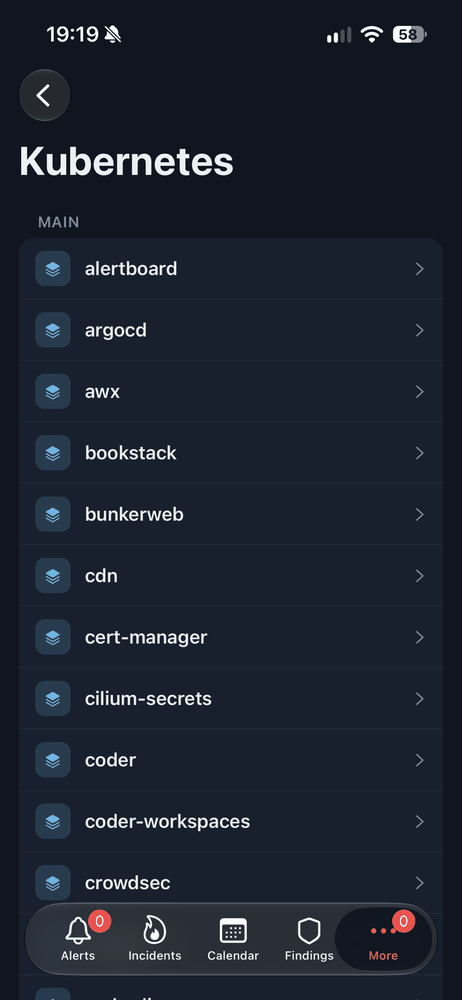
PiDash Kubernetes screen listing the namespaces of a cluster
PiDash Alerts screen with counters per severity and the firing alerts

Talks to the tools already running your lab

  • Alertmanager
  • Prometheus
  • Kubernetes
  • Proxmox VE
  • AWX / Ansible
  • OneUptime
  • Greenbone
  • Wazuh
  • Longhorn
  • Harbor
  • GitLab
  • OPNsense
  • Authentik
  • Keycloak

Features

Everything your lab tells you.
Everything you need to answer it.

One app for the alerts, the jobs, the clusters and the hosts. Each connection is optional: turn on what you run, the rest stays out of your way.

Alerts

Know before your users do.

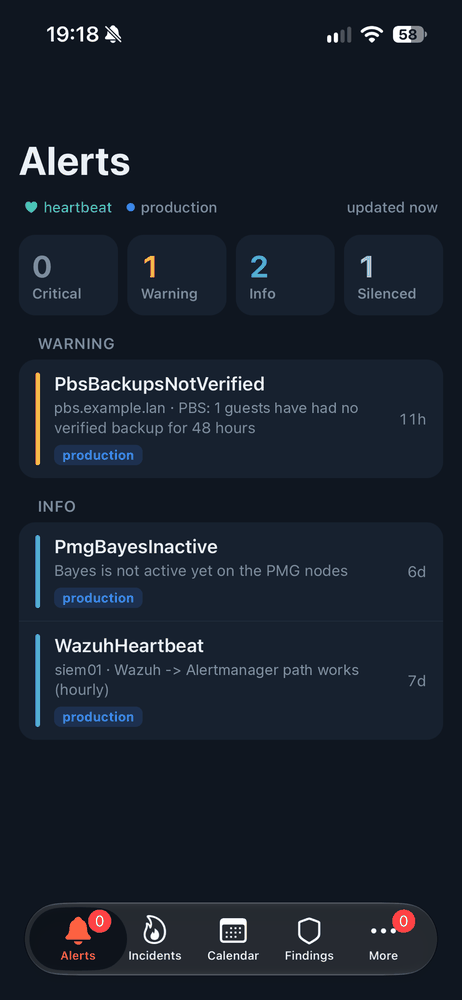
Every Alertmanager in one list, by severity and environment. Swipe left to ack, tap to silence for an hour, a day or your own duration. A heartbeat tells you Prometheus is still watching.

  • Swipe to ack, silence with a comment, extend or expire
  • Critical alerts nobody acked are pushed after 10 minutes
  • Ack straight from the notification, with quiet hours per phone
Alerts screen: counters for critical, warning, info and silenced, then alerts by severity
Calendar

Every scheduled job, one calendar.

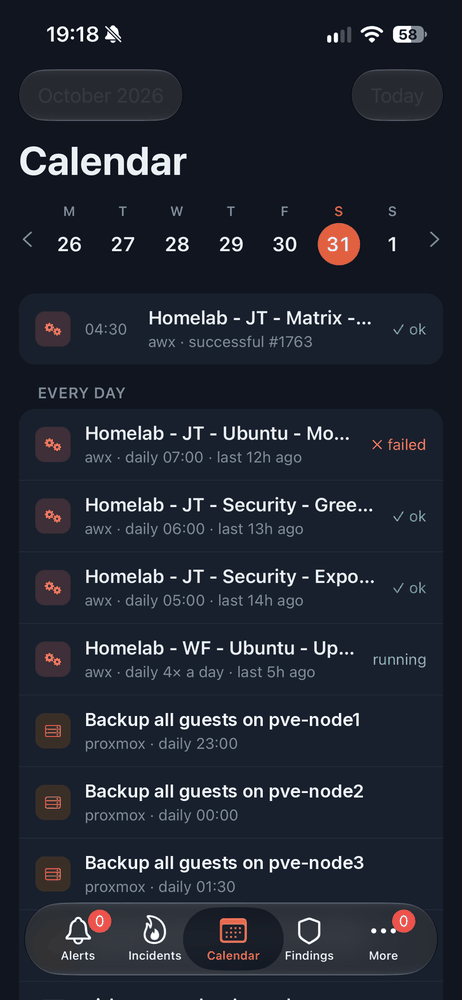
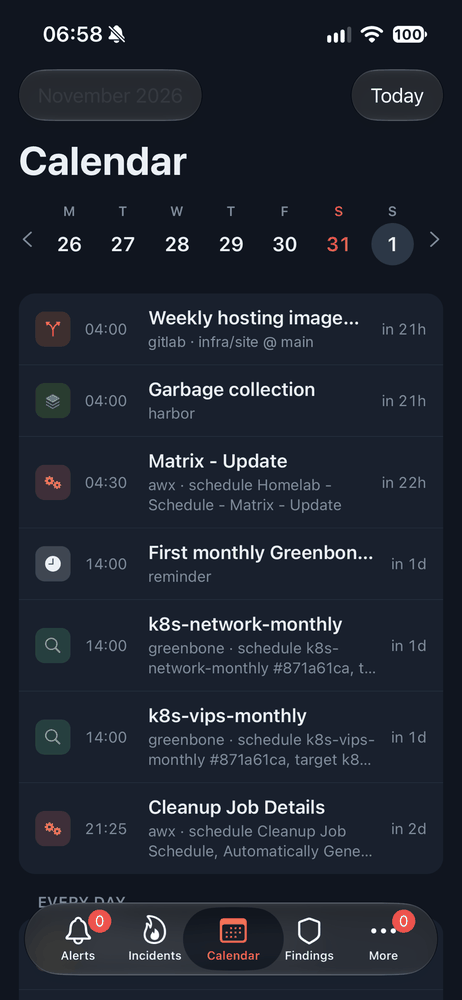
Backups, scans, CronJobs and pipeline schedules, read straight from the systems that run them. A red dot marks the day something failed, a “now” line shows what's next.

  • AWX, Proxmox backups, Kubernetes CronJobs, Longhorn
  • Harbor, GitLab pipeline schedules, Greenbone scans
  • Succeeded, failed, running or missed, at a glance
Calendar: today's jobs and the daily ones with their last run
Calendar: tomorrow's jobs from GitLab, Harbor, AWX and Greenbone
Kubernetes

Your clusters, without a laptop.

Browse namespaces, workloads, pods, events and logs. Follow a log live, check the previous container's crash, then restart, scale or run a CronJob now — as far as your RBAC allows.

  • Deployments, StatefulSets, DaemonSets and CronJobs
  • Pod logs with container picker and live follow
  • Restart, scale, suspend, resume, delete pod — after Face ID
Kubernetes: the namespaces of a cluster
Terminal

A real shell. No key on your phone.

Open an SSH session on any tagged Proxmox VM or container. The board makes the connection, so your phone holds no SSH key and needs no route to your hosts. Host keys are confirmed by fingerprint before first use.

  • Full xterm with Esc, Tab, sticky Ctrl, arrows, copy and paste
  • Face ID and a fresh login before every session
  • Closes itself when the app goes to the background
Findings

Vulnerabilities, by what matters first.

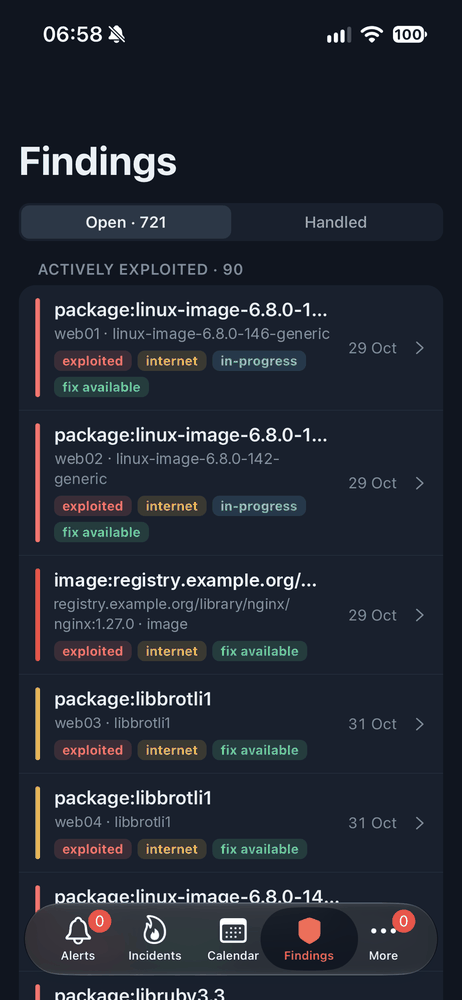
Greenbone, Wazuh and your own scanners in one list. Overdue and actively exploited findings rise to the top. Mark one in progress, accept the risk with an expiry, or declare an incident from it.

  • KEV, EPSS and internet-facing signals from your own build
  • Deadlines of 14, 30 or 90 days by severity
  • Every decision logged with who made it
Findings: actively exploited findings first
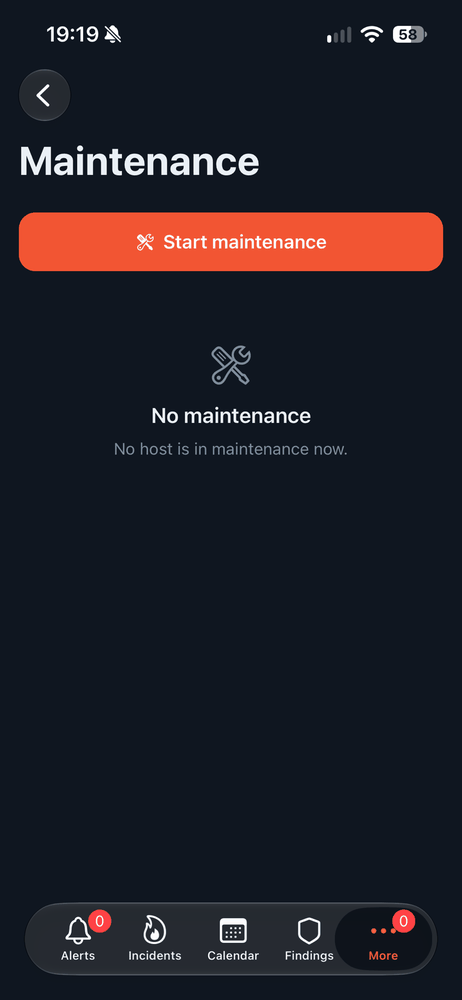
Maintenance

“Rebooting web1 for an hour.” Done.

Pick a host, a duration and a comment. Every alert for it is silenced in every environment until then, and lifted by itself afterwards. With OneUptime, announce it on your status page in the same step.

  • Hosts come from your alerts and Prometheus
  • Extend or end a window any time
  • Announced as a scheduled event on your status page
Maintenance: start a maintenance window for a host

And more

Built for the way you actually run things.

  • Incidents

    Declare a OneUptime incident from alerts or a finding, pick the affected monitors, post notes and publish it to your status page.

  • Approvals

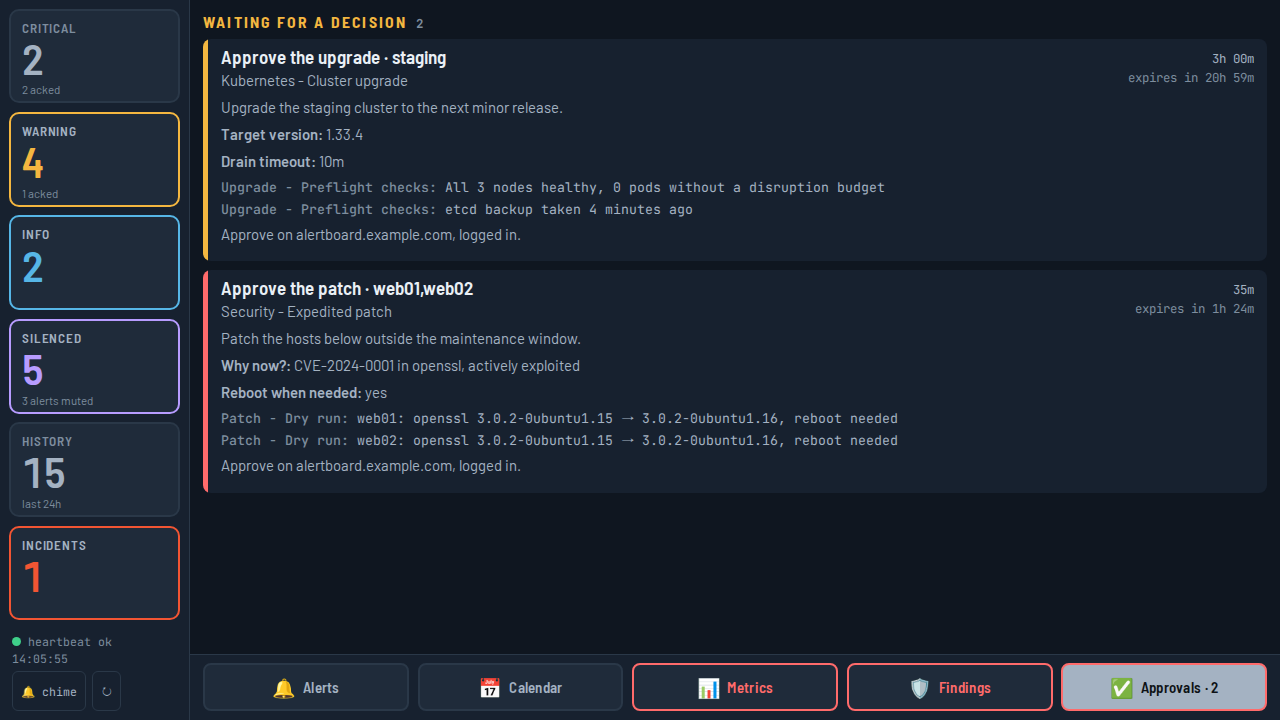
    Approve or deny AWX workflow approvals from the notification itself, with the survey answers and what the workflow found so far.

  • Runbooks

    Launch the AWX job templates you allow — restart a service, re-run a backup — and follow the job's live output.

  • Metrics

    Health tiles for Proxmox, Kubernetes, Longhorn, firewalls, probes and Wazuh, each with a sparkline and a chart over 1h to 7 days.

  • Networks

    Every device on your networks with its open ports. Tap a web UI to open it, or jump to the device's terminal.

  • Push that matters

    Only the critical alerts nobody picked up, and new approvals. Act from the lock screen; quiet hours wait in Notification Centre.

  • Your own dashboard

    Pick the widgets you care about — unacked criticals, failed jobs, overdue findings, any metric — in your order.

  • Your tab bar

    Drag tabs into the order you like, hide what you don't use, pin Terminal or Kubernetes right next to Alerts.

  • A wall board, too

    The board doubles as a kiosk display on a Pi touchscreen, readable from across the room, with a chime for new alerts.

Security by design

Your keys never leave your network.

Your phone talks to one thing: the board, running on a Raspberry Pi in your own lab. The board holds the API tokens, the SSH key and the kubeconfig. Lose your phone, and nothing of your infrastructure goes with it.

  • Face ID before every change

    Acks are one swipe. Approving, launching, restarting, publishing or opening a shell asks for Face ID, and the board asks for a fresh login on top.

  • Your identity provider

    Sign in through Authentik, Keycloak or any OIDC provider. Four groups decide who may look, act, decide findings or open a terminal.

  • Every action logged

    Every ack, silence, approval, launch and Kubernetes action is recorded with who made it and when.

  • Least privilege, enforced

    Read-only logins wherever possible. Runbooks and approvals are allowlisted on the board, Kubernetes actions follow your cluster's RBAC.

The board

On your wall, too.

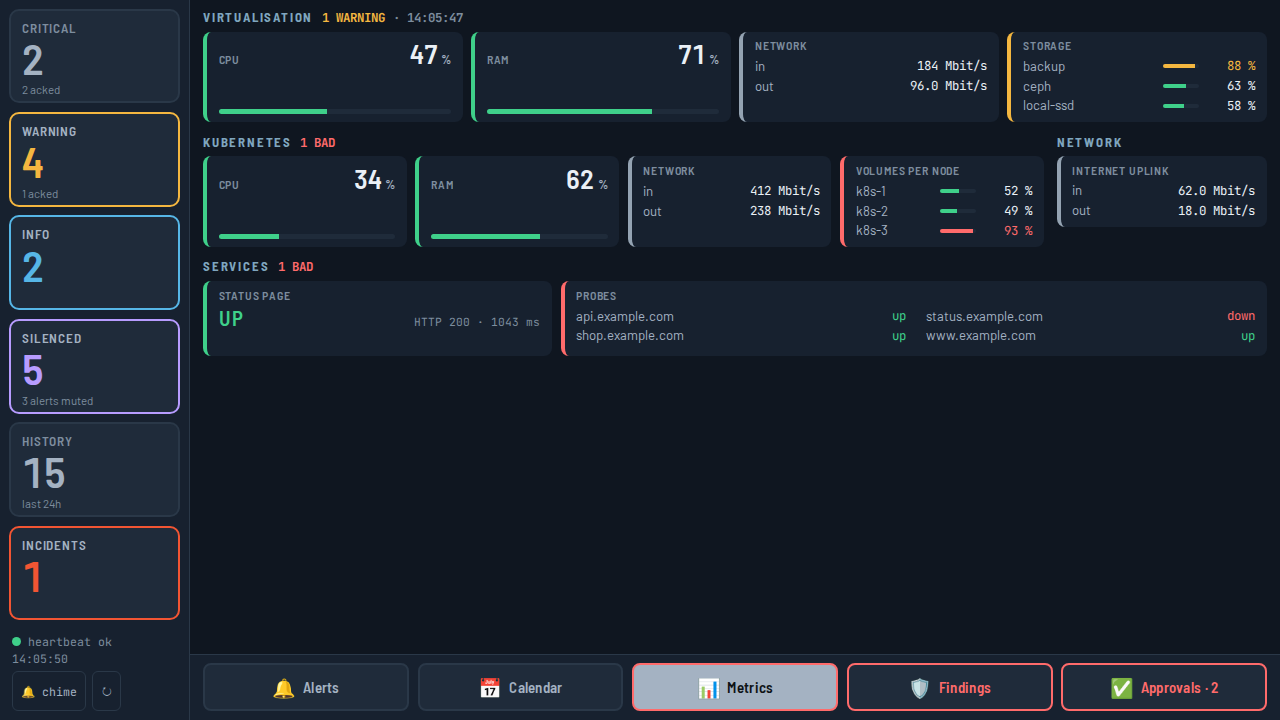
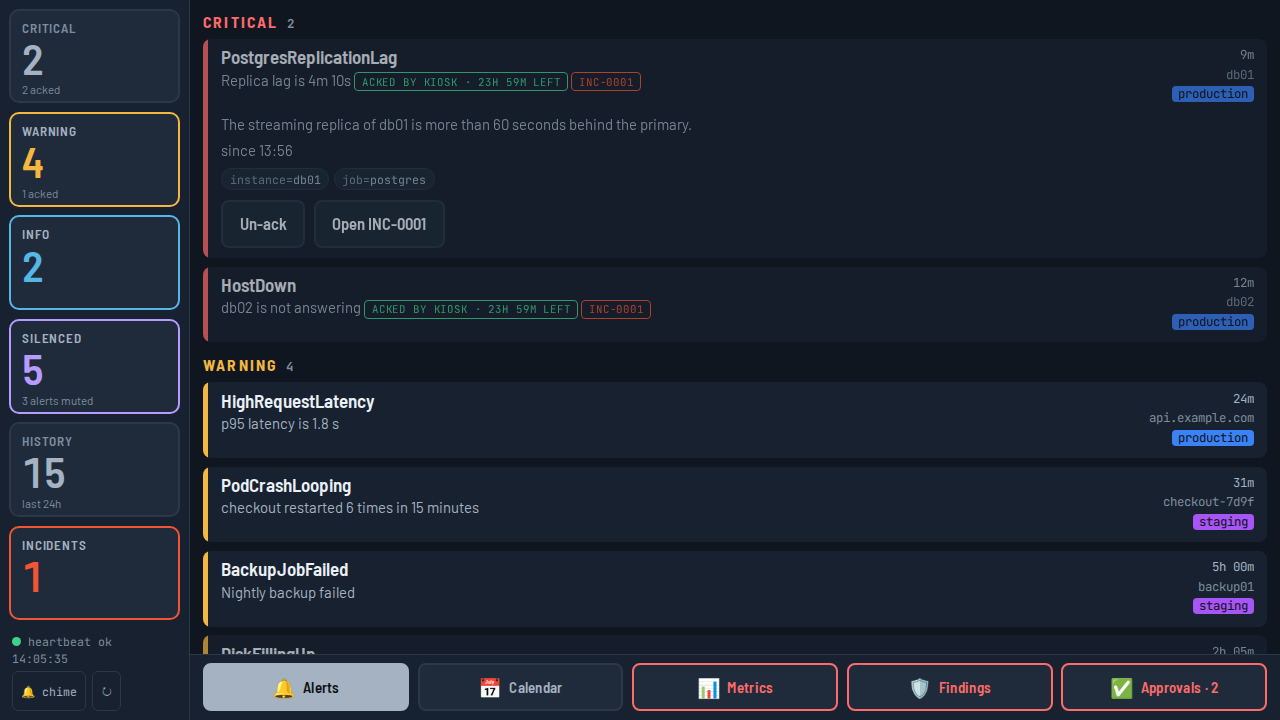
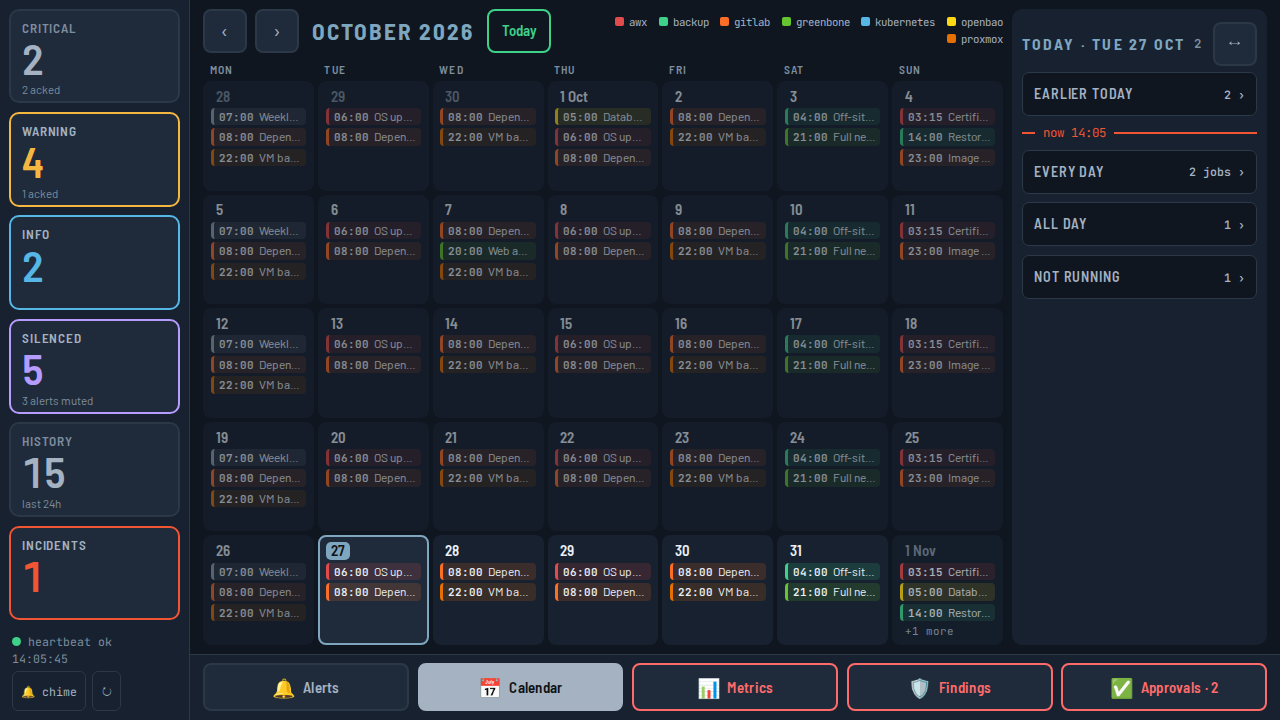
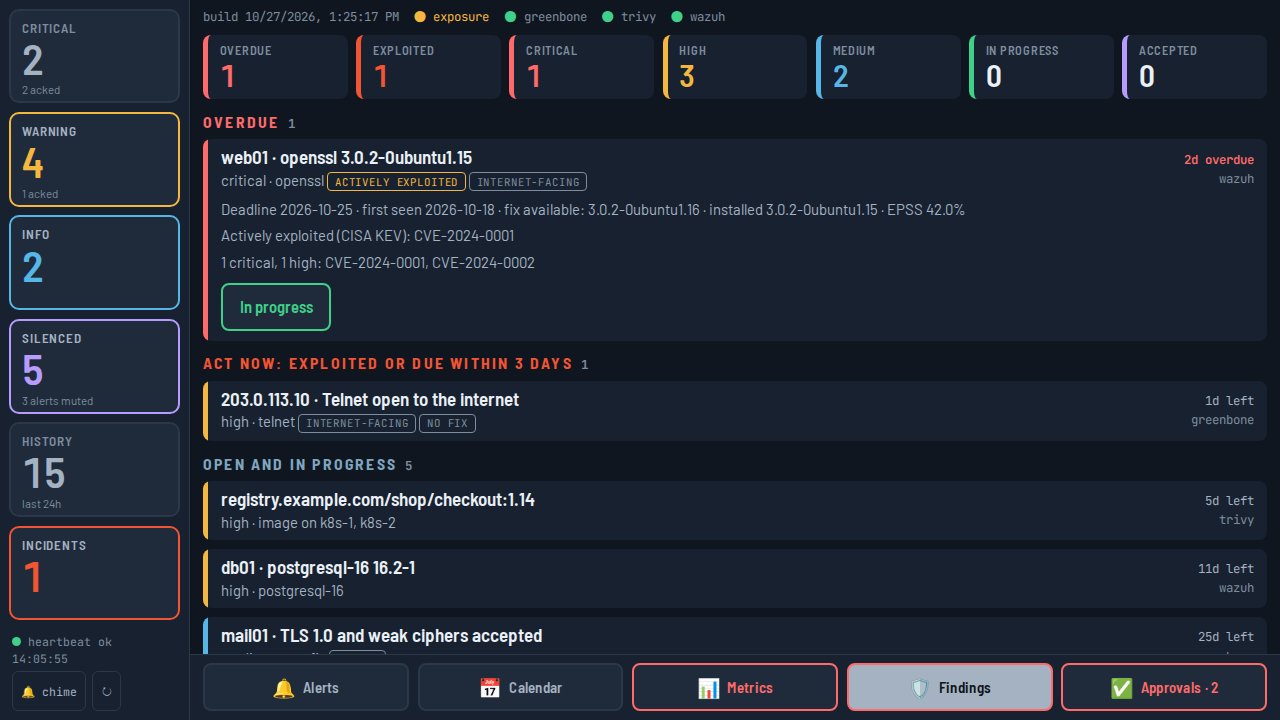
The same board that powers the app runs full screen on a Pi touchscreen. Alerts, the calendar, metrics, findings and approvals — readable from across the room, with a glow and a chime when something new fires.

The wall board's metrics view: tiles for virtualisation, Kubernetes, network and services
  • Wall board: alert overviewAlerts
  • Wall board: a month of scheduled jobsCalendar
  • Wall board: security findingsFindings
  • Wall board: pending approvalsApprovals

How it works

Up and running in an evening.

  1. 1

    Run the board

    One Docker Compose project on a Raspberry Pi 4 or 5, or any Linux box. Point it at your Alertmanager and your OIDC provider.

    docker compose up -d --build
  2. 2

    Install PiDash

    Get the app from the App Store, enter your board's address and sign in through your own identity provider.

    https://board.example.org
  3. 3

    Add what you run

    Connect Kubernetes, Proxmox, AWX, OneUptime and the rest one at a time. Each one lights up its screens in the app.

    curl -s :8080/api/connections

Pricing

Simple. Yours to keep.

No subscription, no per-host fees, no cloud bill. The board is open source; the app is a one-time purchase.

The board

Free

Open source, Apache License 2.0

  • Runs on a Raspberry Pi or any Linux machine
  • Wall board and kiosk mode
  • Works in any browser, also on your phone
  • Ack buttons in your existing notifications
  • All connections included
View the source

FAQ

Questions, answered.

What do I need to run PiDash?

An iPhone, and the board: a Raspberry Pi 4 or 5 (or any Linux machine) with Docker, at least one Alertmanager, an OIDC provider that puts a groups claim in its ID token, and a TLS reverse proxy for the board's public address.

Does my data go through your servers?

No. The app talks only to your own board, and the board only to your own systems. There is no PiDash cloud, no account with us and no analytics. Push notifications are sent by your board straight to Apple's push service.

Which systems does it support?

Alertmanager is the only one required. Optional connections: Prometheus, OneUptime, AWX, Kubernetes (any cluster with a kubeconfig), Proxmox VE, Greenbone, Wazuh, Longhorn, Harbor, GitLab and OPNsense exporters. Every connection beyond Alertmanager is optional; features without one simply stay off.

Can my whole team use it?

Yes. Anyone in your OIDC provider's users group can sign in. Groups decide who may only look, who may act, who decides security findings and who may open a terminal. Every action is logged with who made it.

What happens if I lose my phone?

Your phone holds a session token for your board in the iOS keychain — no API keys, no SSH keys, no kubeconfig. Every change needs Face ID. To cut off all sessions at once, rotate the board's session key.

Is there an Android version?

Not yet. PiDash is built for iPhone and iPad first. The board itself works in any mobile browser in the meantime, including acks and silences.

Take your homelab with you.

Ack, approve, restart and fix from wherever you are.